Local vs Cloud Voice Dictation: What's the Difference and Which Is More Private?
Voice dictation tools handle your audio in two fundamentally different ways. Here's what that means for privacy, speed, and accuracy — and how to choose.
SERP Transcribe Team
Product
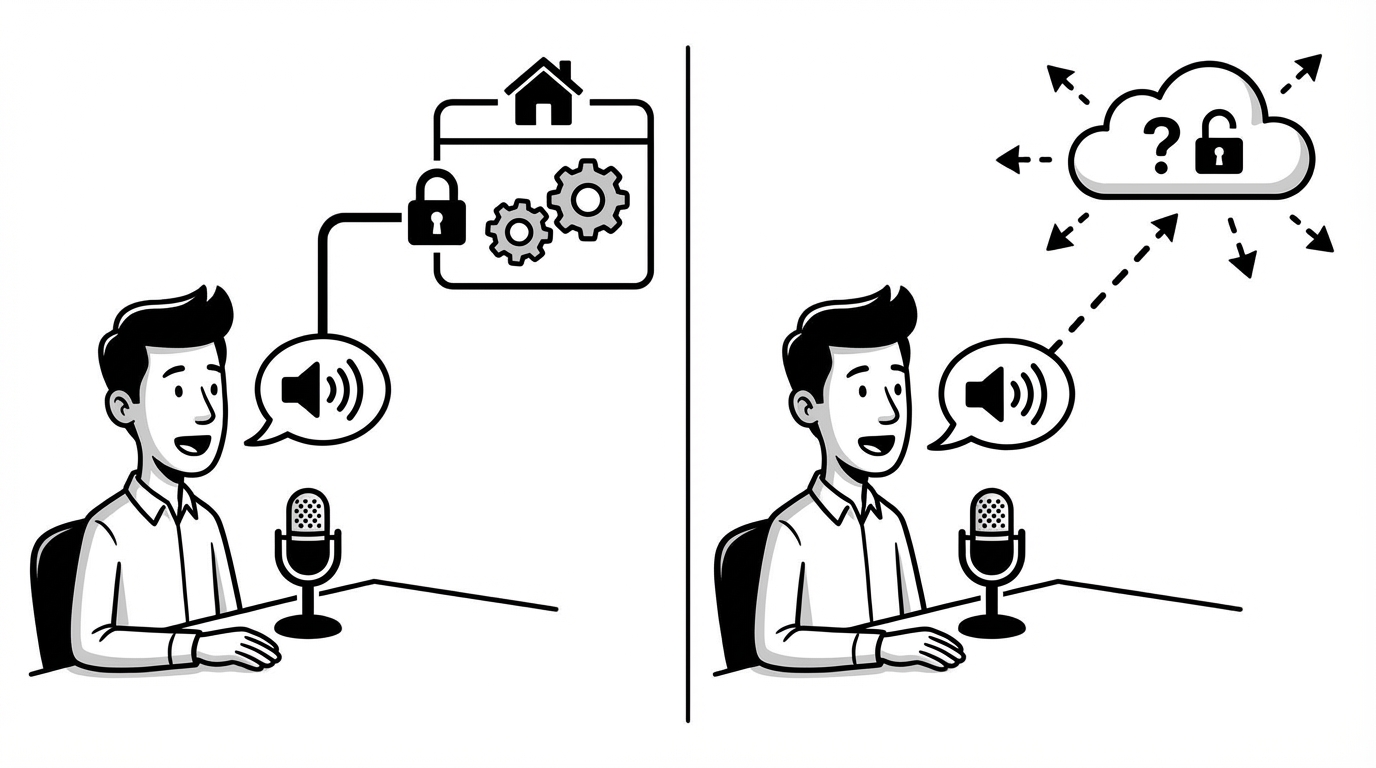
When you use a voice dictation app, something happens to your audio between the moment you speak and the moment text appears on screen. Where that processing happens — on your device or on a remote server — has meaningful implications for privacy, speed, performance, and cost.
Here's a plain-language explanation of the difference.
Local Processing: Audio Never Leaves Your Device
In a locally-processed dictation tool, the speech recognition model runs on your own computer. When you speak, your audio is processed by software on your device, converted to text, and the audio is never sent anywhere.
Tools in this category include SuperWhisper (Mac) and self-hosted implementations of OpenAI's Whisper.
Advantages:
- Your audio stays on your device — no third party ever has access to what you said
- Works offline — no internet connection required
- No risk of a data breach at a remote server exposing your voice data
Disadvantages:
- Processing speed depends on your hardware. Newer devices with dedicated neural processing (Apple Silicon, modern GPUs) handle it quickly. Older devices may have noticeable delay.
- Model quality has a ceiling based on what can run efficiently on consumer hardware
- Higher subscription or upfront cost in some cases to access the best local models
Cloud Processing: Audio Is Sent to Remote Servers
In a cloud-processed dictation tool, your audio is sent over the internet to remote servers where the transcription happens, and the resulting text is returned to your device.
Most mainstream dictation tools — including Google Dictation, many modern push-to-talk apps, and AI-enhanced tools — use this model.
Advantages:
- Processing power isn't limited by your device — you get access to large, powerful models regardless of your hardware
- Consistent speed across devices (new laptop or old, the result is the same)
- The best AI enhancement features (filler word removal, formatting, tone adjustment) require cloud infrastructure to run
Disadvantages:
- Your audio leaves your device — it's processed by a third party's server
- Requires an internet connection
- Subject to the third party's data retention and privacy policies
What "Privacy" Actually Means in Each Case
For most users, the relevant question isn't "is my audio ever transmitted" — it's "what happens to it if it is?"
Most cloud dictation tools process your audio to generate the transcript and then discard the audio. The text you dictated may or may not be retained. Privacy policies vary, and they're worth reading before you commit to a tool for sensitive content.
The key questions to ask of any cloud tool:
- Is the audio discarded after transcription?
- Is the text stored, and for how long?
- Is any data used to train models?
- What happens in the event of a security breach?
For SERP Transcribe specifically: audio is captured only while you're holding the push-to-talk hotkey (no passive recording), and the system is designed for transcription rather than data collection.
Push-to-Talk as a Privacy Layer
Regardless of whether a tool processes locally or in the cloud, push-to-talk is a meaningful privacy feature. Always-listening tools (like voice assistants) record audio continuously and trigger on a wake word — there's an inherent risk that audio outside the intended dictation window is captured.
Push-to-talk tools only capture audio while you're actively holding a button. Nothing else is recorded. This architectural choice limits both accidental capture and potential misuse significantly.
Who Should Care Most About Local Processing
For most users — writing emails, taking notes, producing documents — cloud processing with a reputable tool that discards audio after transcription is perfectly fine. The privacy implications are minimal.
The cases where local processing genuinely matters:
Healthcare. Dictating patient information, clinical notes, or any protected health information (PHI) has specific regulatory requirements. Some practices require tools certified for HIPAA compliance; others may require local processing. Know your requirements before choosing.
Legal. Attorney-client privileged communications are subject to specific confidentiality obligations. Cloud processing introduces a third party into that chain, which may be problematic depending on jurisdiction and practice.
Government and defense. Classified or sensitive information often cannot be processed by external servers under any circumstances.
Personal high-sensitivity content. If you're dictating content you'd be uncomfortable with any third party ever having seen — financial details, sensitive personal matters — local processing provides a stronger guarantee.
For everyone else: understand what your tool does with your audio, pick one with a clear and favorable privacy policy, and the cloud/local distinction is unlikely to matter meaningfully in practice.
The Honest Bottom Line
Local processing is more private. Cloud processing is more powerful and consistent. Most users are fine with cloud processing from a reputable tool. Users with specific regulatory requirements or high-sensitivity content should use local processing or verify HIPAA/compliance certifications.
Pick the tool that fits your workflow and your sensitivity requirements. Neither approach is universally right — the right choice depends on what you're dictating and how much the privacy difference matters for your specific situation.