Voice Dictation at a Standing Desk: Setup, Microphones, and Workflow Tips
Standing desks and voice dictation are a natural pairing — but the setup matters. Here's how to get the best results when you're upright and moving.
SERP Transcribe Team
Product
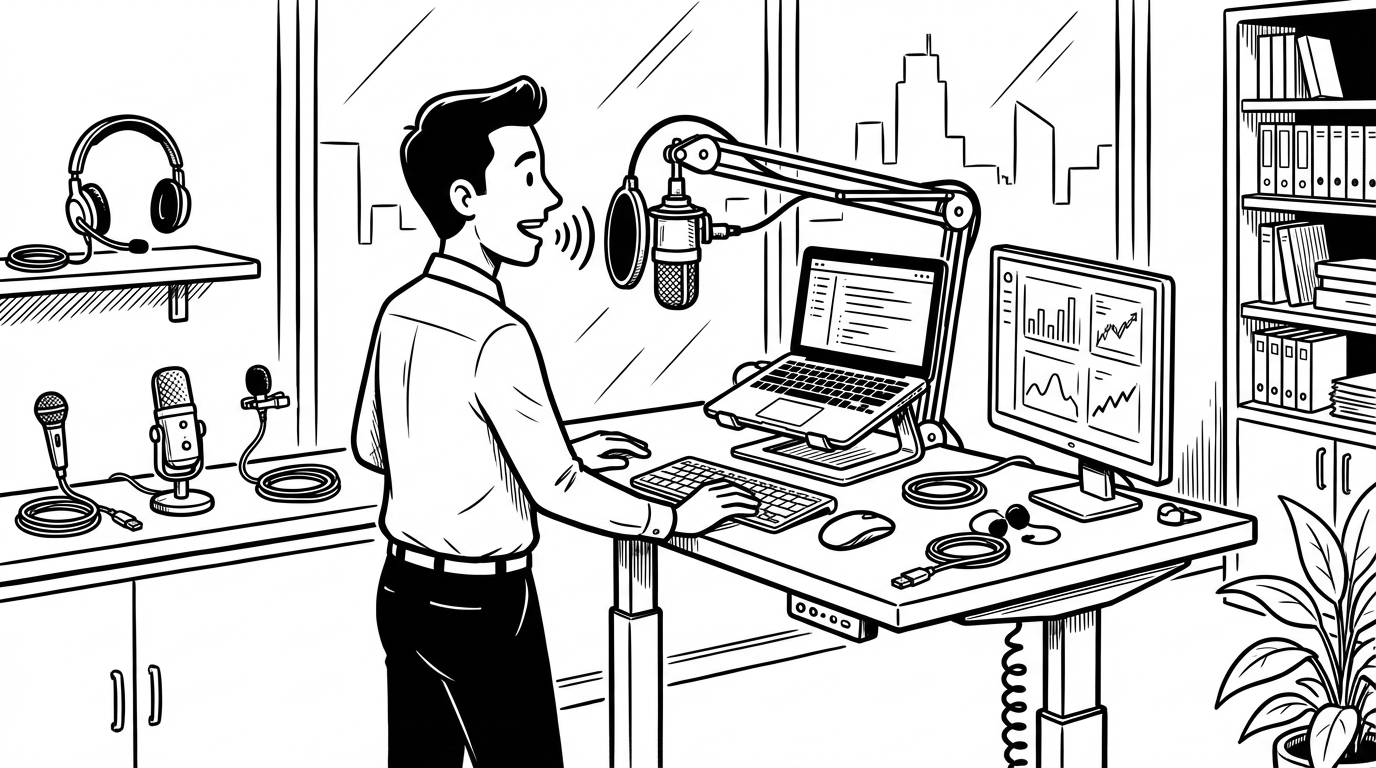
Standing desks and voice dictation are a pairing that makes intuitive sense: if you're already making changes to how you work physically, reducing time spent hunched over a keyboard fits naturally into the same philosophy. But standing changes your relationship to your microphone and keyboard in ways worth thinking through.
Why Standing Affects Dictation
When you're seated at a desk, your mouth is typically 12–18 inches from a laptop microphone or a desk mic. When you're standing, the geometry changes — you may be farther from the mic, at a different angle, or moving more than you would while seated. These changes can affect transcription accuracy if your setup doesn't account for them.
A few things that standing changes:
- Distance from built-in laptop mic (if you use one)
- Tendency to move slightly while speaking — swaying, shifting weight
- Energy level and speaking volume (standing users tend to speak with more energy, which is actually positive for clarity)
Microphone Options for Standing Desk Use
Built-in laptop mic: Works at seated distances, may struggle when you're standing farther from the laptop. If your laptop is at desk height and you're standing over it, the distance is similar enough that built-in mics often work fine. If your screen is at eye level on a monitor arm, you may be 24–36 inches from the laptop mic — which can introduce enough distance to affect accuracy.
USB desk microphone: The best all-around option for a standing desk. A cardioid condenser mic (Blue Yeti, Audio-Technica AT2020, Rode NT-USB) positioned 12–18 inches in front of you at chest or desk height captures your voice clearly regardless of standing/sitting position. Desk mics stay at a fixed position when you change height, which is exactly what you want.
Clip-on (lavalier) microphone: A USB or wireless lav mic clipped to your collar gives you consistent mic-to-mouth distance regardless of your position. Excellent for standing desk use because the mic moves with you. USB lavs (like the Movo PM10) are simple and effective for voice dictation.
Wireless earbuds with microphone: AirPods, Sony WF series, and similar earbuds have surprisingly good microphone quality for voice dictation. They're body-mounted so distance is consistent, and they're completely natural for office use. Many standing desk users find earbuds to be their preferred dictation mic simply because they're already wearing them.
Boom arm microphone: If you want the cleanest audio quality, a cardioid mic on an adjustable boom arm (like the Blue Compass or Rode PSA1) positions the mic consistently at your mouth level whether sitting or standing. More setup, best quality.
Hotkey Ergonomics at a Standing Desk
At a standing desk, your keyboard may be positioned differently than when seated. A few considerations:
Keyboard position: The hotkey needs to be reachable without awkward arm extension. If your keyboard is positioned for comfortable typing while standing, your usual hotkey chord should work. If you find yourself reaching, adjust keyboard placement or consider a footswitch (see below).
Footswitch option: Some heavy dictation users at standing desks use a USB foot pedal (like the INFINITY IN-USB-2) as their push-to-talk activator. This frees both hands completely and is ergonomically elegant when standing. Requires remapping in SERP Transcribe settings.
Simple hotkey: If the standing position makes multi-key chords awkward, simplify your hotkey to a single key or a two-key combination that's easy to hold with one finger.
Audio Considerations for Open Offices
Standing desks are more common in open office environments, where dictating out loud can be disruptive or feel exposed. Options:
Speak quietly. Modern speech recognition handles quieter speech well. You don't need to project — a slightly elevated conversational volume (as if talking to someone next to you) is enough.
Position facing away from colleagues. Directionality matters for both your audio quality and social comfort. Facing a wall or window while dictating directs your voice away from coworkers.
Use earbuds with a mic. Earbuds make dictation look indistinguishable from taking a call — which is socially unremarkable in most offices.
The Movement Benefit
One underrated aspect of standing desk dictation: the energy that comes from standing slightly improves speaking quality. Voice dictation while standing tends to produce clearer, more energetic speech than while slumped in a chair at 4pm. Upright posture opens the chest and improves breath support, which affects both volume and clarity.
Some users find they do their best dictation while standing — the physical position translates into more confident, clearer spoken output. If you've been dictating while seated and find the accuracy inconsistent, try standing for a session.
The Ideal Standing Desk Dictation Setup
For most users: a USB desktop microphone at desk height plus your standard keyboard hotkey setup. The mic stays at a consistent position as you adjust desk height, you don't need to wear anything, and the audio quality is good. Total cost: $80–150 for a decent USB mic.
For maximum flexibility: wireless earbuds with mic plus a standard hotkey. The mic is always with you, the setup is invisible, and you can walk around during breaks without changing anything.
Pick the setup that removes the most friction. The best dictation setup is the one you actually use.